Knows the project
Reads the process’s working directory to name the project, and shows the git branch it is on.
pier tells you which project every localhost port belongs to, in your menu bar and your terminal.
brew install stepanblaha/tap/pierFree and open source. macOS 14 or later.
The pier gull says: Ahoy! Who’s on port 3000? :3000 is acme-store. Next.js, main branch. :5432 is PostgreSQL. All good. That one’s been idle for 9 days…

“Port 3000 is already in use.” By what? lsof says node 4821 *:3000, which is no help when six node processes are running. pier answers with the project, the framework and the branch.

$ lsof -iTCP -sTCP:LISTEN -nP
COMMAND   PID  USER  NAME
node     4821  you   *:3000
node     5012  you   *:4321
node     5377  you   *:5173
Python   6120  you   *:8000
postgres  912  you   *:5432
$ pier
  PORT  PROJECT     STACK     BRANCH
● 3000  acme-store  Next.js   main
● 4321  docs        Astro     main
● 5173  dashboard   Vite      feat/charts
● 8000  acme-api    FastAPI   main
● 5432  PostgreSQL  infra
A listening port is only a number. pier works out the rest, so you never have to guess which dev server you are about to kill.

Reads the process’s working directory to name the project, and shows the git branch it is on.
Next.js, Vite, Astro, Remix, Nuxt, SvelteKit, Rails, Django, Flask, FastAPI, Express and more.
PostgreSQL, Redis, MongoDB, MySQL, Ollama and Docker containers show up by name, not by PID.
A quick probe shows what each port actually serves, so you can tell two localhost tabs apart.
Every port is ok, error or timeout, with uptime, CPU and memory next to it.
See what is reachable from your network, and scan a QR code to test on your phone.
VS Code, iTerm, tmux or Claude Code. pier can jump straight back to the terminal that did.
Servers idle for days get an idle badge, and one click or pier prune cleans them up.
pier expose opens a Cloudflare quick tunnel and gives you an HTTPS address to share.
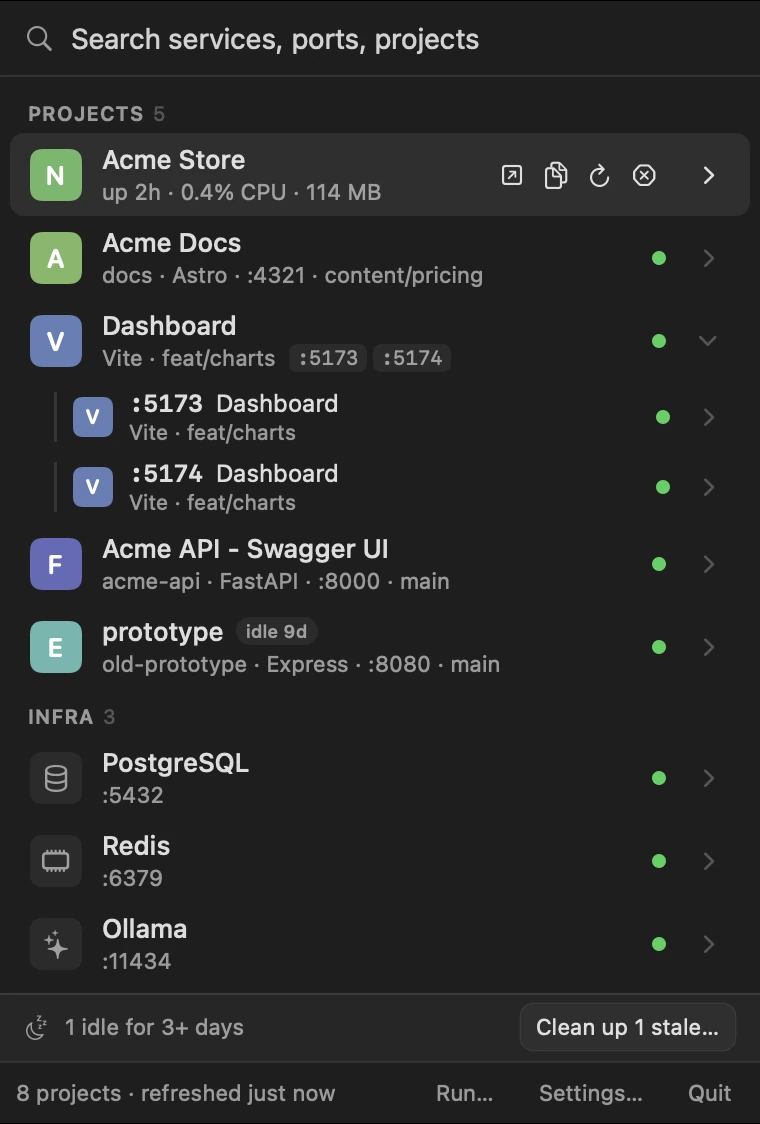
Press ⌥⌘P anywhere, type a few letters, hit return.

Search everything. Find a service by project, port, framework or name.
One row per project. Every port a project listens on becomes a chip on its row. Hover for open, copy URL, logs, restart and stop.
A details panel. Health, branch, URLs, a QR code for your phone, and who started it.
Clean up stale servers. Forgotten ones get an “idle 9d” badge, and one click stops them.
Stacks and Run… Bring a pier.yml stack up or down, or start a project’s dev server.
Pins, renames, crash alerts. Keep what matters on top and get a notification when a managed server crashes.
Everything the app does is a command away, and the CLI works without the app running. Add --json to any command when a script is the one asking.

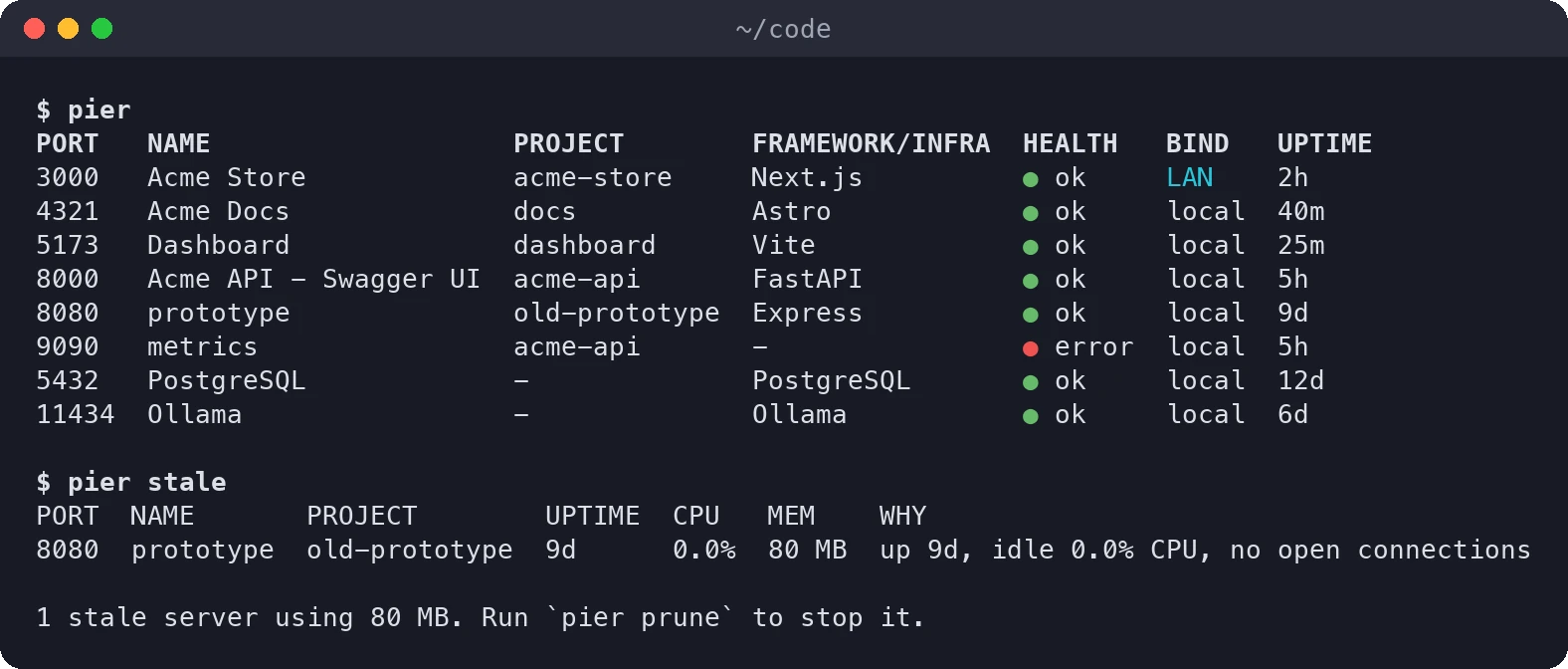
pierList everything listening, labeled by project.
pier watchA live, top-like view with keys to open, copy and kill.
pier info shopPath, branch, runtime, owners, CPU, memory and command line.
pier open 3000Open it in your browser, reusing the tab you already have. Add --editor or --terminal.
pier stop 3000Stop it cleanly. Databases ask first.
pier staleFind forgotten dev servers: long uptime, idle, no connections.
pier pruneStop every stale server after one confirmation.
pier qr 3000A QR code of the LAN URL, for testing on your phone.
pier freePrint the next free port.
pier runRun your dev script under pier, with logs and exact restarts.
pier logs shop -fFollow the logs of a managed server.
pier restart shopRestart it, even if pier did not start it.
pier upStart a whole pier.yml stack, in dependency order.
pier downStop that stack again.
pier expose 3000A public HTTPS URL through a Cloudflare quick tunnel.
pier mcpAn MCP server so Claude Code can see your services.
pier completions --installTab completion for live ports and names.
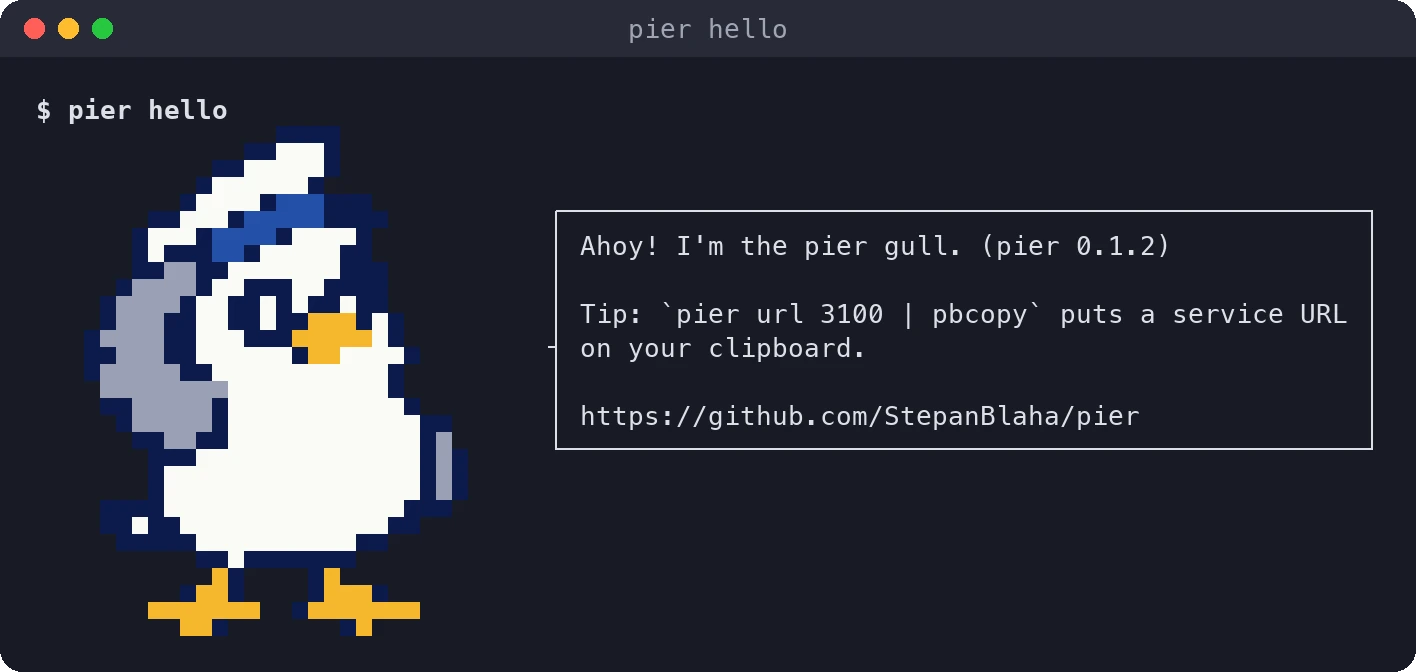
pier helloThe gull says hi.
It respects NO_COLOR, uses plain 16 colors that read on light and dark themes, and falls back to ASCII when it has to. Even the pixel gull degrades to hand drawn ASCII.
pier mcp is an MCP server. Add it once, and Claude can see and control your local services the same way you do.

claude mcp add --scope user pier -- pier mcpStopping a database always needs your explicit confirmation.
Claude lists your services, labeled by project.
Claude starts the dev server and waits for it to come up.
Claude reads the logs of a managed server.
Claude finds servers that have been idle for days.
pier 0.1.2 is free and open source under the MIT license, for macOS 14 or later.

brew install stepanblaha/tap/pierpier app installBuilds from source, so macOS never shows a Gatekeeper prompt. The CLI works without the app running. Prefer the prebuilt app? Grab the zip from GitHub Releases (opens in a new tab).